

If you want it free, BudgetCH from Budgetberatung Schweiz fits; if you want your Swiss bank connected automatically, BlueBudget. YNAB has its own method and is in English, Finanzguru does not connect Swiss banks. Spendhog, the app we make, warns you from its forecast before an account falls too low, and keeps several people and currencies in one household.
01The apps side by side
Each row is a question households ask when they look for a budget app. What we say about the other apps comes from their own pages, their help centres and their listings in the App Store or on Google Play, read on 1 November 2026. "No" means: not found on those pages. The last column is Spendhog, the app we make; we chose the rows.
| BudgetCH | BlueBudget | YNAB | Finanzguru | Spendhog (our app) | |
|---|---|---|---|---|---|
| Price | BudgetCHFree | BlueBudgetFree | YNABUSD 14.99 a month or USD 109 a year | FinanzguruBasic version free, Plus paid | Spendhog (our app)30 days free, then CHF 8.99 a month for the household (founder price for the first 30) |
| Automatic bank connection | BudgetCHNo | BlueBudgetYes, around 50 Swiss banks | YNABSwiss banks not listed | FinanzguruGermany and Austria only | Spendhog (our app)No, on purpose |
| Import a bank file, no bank login | BudgetCHNo | BlueBudgetManual, format not stated | YNABYes: CSV, OFX, QFX, QIF, on the computer | FinanzguruNo, a bank account is required | Spendhog (our app)Yes: CSV, camt.053, OFX, MT940 |
| As a couple, each person with their own login | BudgetCHNo, you share one login | BlueBudgetGroups for splitting costs; a shared budget is not described | YNABYes, up to six | FinanzguruNo | Spendhog (our app)Yes, up to three |
| Spending per person in the household | BudgetCHOnly as a category | BlueBudgetOnly when splitting costs | YNABNo; a category per person as a workaround | FinanzguruNo | Spendhog (our app)Yes, for each person |
| Accounts in several currencies, one total | BudgetCHNo | BlueBudgetSpending in foreign currency, converted to francs | YNABNo, one budget per currency | FinanzguruNo | Spendhog (our app)Yes, 30 currencies |
| Budget per month, every 3 months, per year and for the holidays | BudgetCHPer month or year | BlueBudgetTypes not stated | YNABYes | FinanzguruWith Plus: per month or from payday to payday | Spendhog (our app)Yes |
| Build your own dashboard | BudgetCHBars or pie chart | BlueBudgetNo | YNABNo, reports can be filtered | FinanzguruPartly: hide tiles, own analyses | Spendhog (our app)Yes, pick and arrange tiles |
| Balance forecast | BudgetCHNo | BlueBudgetNo | YNABNo | FinanzguruWith Plus; how far ahead is not stated | Spendhog (our app)Yes, month by month, with the lowest day, per account too |
| Warns from its forecast before an account falls too low | BudgetCHNo | BlueBudgetNo | YNABNo | FinanzguruNo | Spendhog (our app)Yes, from your amount, per account or for everything |
| Languages | BudgetCHDE, FR, IT, EN | BlueBudgetWebsite DE, FR, IT, EN | YNABEnglish | FinanzguruDE, EN | Spendhog (our app)DE, FR, IT, EN, PT, ES |
02BudgetCH: free, from the budget advisory
BudgetCH comes from Budgetberatung Schweiz, the non-profit umbrella association for budget advice, and it is free. You enter things by hand, standing orders too. According to Budgetberatung, the data sits in Switzerland.
As a couple you share one login, and according to the vendor the new app no longer supports foreign currencies. Budgetberatung does not describe a balance forecast. BudgetCH fits if you want to start for free, with the reference figures from the budget advice service.
03BlueBudget: connected to your bank
BlueBudget comes from Blue Finance AG and pulls payments automatically from around 50 Swiss banks, through the Swiss open banking standard. The app is free. It reminds you of upcoming bills, and with "Fairteilt" you split costs between people, in over 50 currencies too.
The vendor does not describe a balance forecast or budgets that recur every three months. BlueBudget fits if your bank is on the list and you want to enter as little as possible yourself.
04Your bank's app
In E-Finance and in its app, PostFinance has budgets by category and an overview of your subscriptions. Raiffeisen's financial assistant shows how much is freely available until the next salary, and keeps savings goals as virtual sub-accounts. It costs nothing extra.
Usually you see the accounts at that one bank. Cash, a card at another bank and your partner's account stay outside. The linked pages do not describe a warning from a forecast.
05YNAB: its own method, in English
YNAB is an American app with a method of its own: every franc gets a job before you spend it. It has budgets per week, month, year or up to a date, up to six people with their own login, and an import of CSV, OFX, QFX and QIF. It costs USD 14.99 a month or USD 109 a year.
Swiss banks are not on its list, for each currency YNAB recommends a separate budget, and the app is in English. YNAB fits if you want exactly that method.
06Is Finanzguru available in Switzerland?
You can download the app in Switzerland, but it does not connect Swiss banks. Finanzguru comes from Germany and connects German and Austrian banks; according to its help, you cannot use it without such an account. The vendor does not plan to connect banks outside the EU any time soon.
If you are looking at Finanzguru for the automatic overview, in Switzerland you find it at BlueBudget. If you are looking for a forecast without a German bank account, you find it at Spendhog, with a warning before an account falls too low.
07And an Excel spreadsheet?
A spreadsheet costs nothing and does exactly what you build into it. For one person who likes formulas, it is often enough. It gets harder with two people in the same file, on the go with a phone, and with bills that come every three or twelve months.
08Spendhog: you see what is coming and get warned early
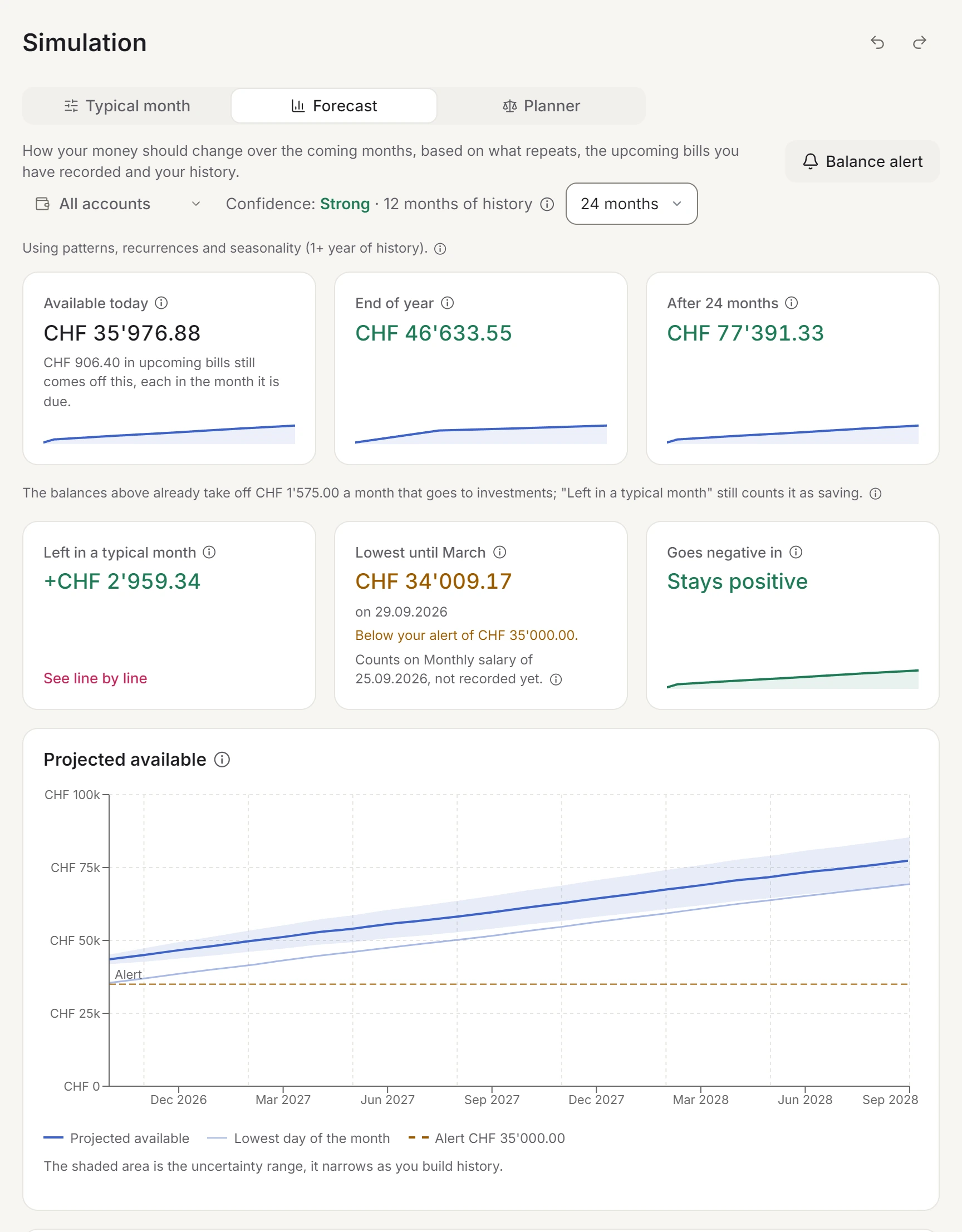
Spendhog is the app we make. The next five sections cover what it does differently from the apps above. The forecast starts from today's balance and counts your salary, your fixed bills and what the household usually spends. For each month it shows the balance at month end and the lowest day in between. You can look at all the money available or at a single account, such as the joint one.
With a Balance alert you set how much should always stay in an account, for example CHF 1'000 in the household account. If the forecast shows that a month may fall below it, the bell (Notifications) names the first of those months and the day. That leaves time to move a payment or transfer some money.
The Dashboard also has "Free per day": how much you can still spend per day this month, with the fixed costs still to pay already set aside. In the Scenario Planner you play out a decision before you make it, such as a car in March or a higher rent.
09Budgets for the month, the quarter and the holidays
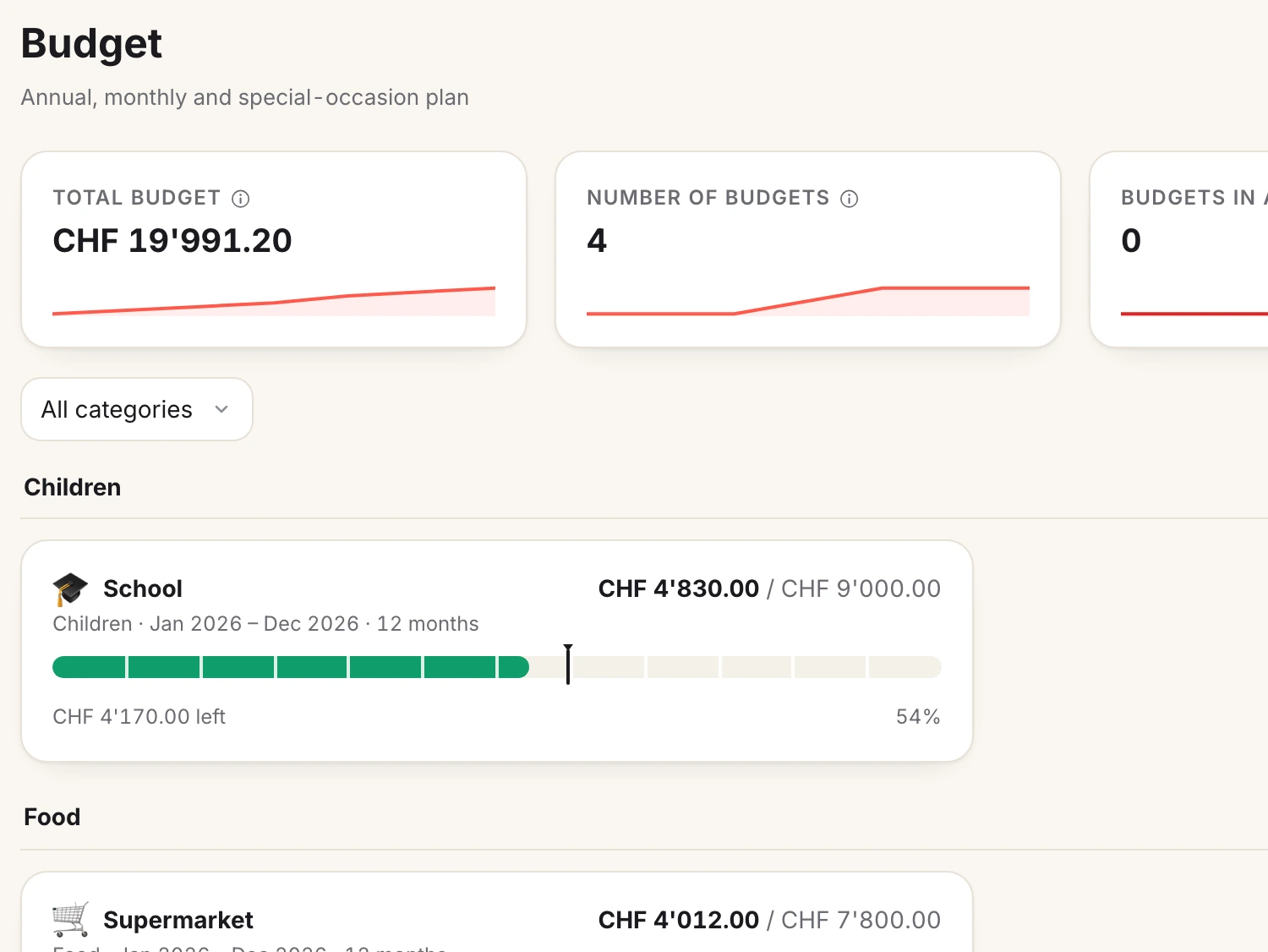
A budget can apply every month, every 2, 3 or 6 months, or once a year. Spendhog measures it by pace: the bill that comes every three months is no overspend in its month, and you get a warning when you spend faster than planned. This is the Per cycle budget.
For holidays, Christmas or a project there is the Envelope: an amount with a deadline, and the money may go out in any month until then. The deposit in February for the July holiday counts in the same envelope.
10Record in a few seconds, or load your bank's file
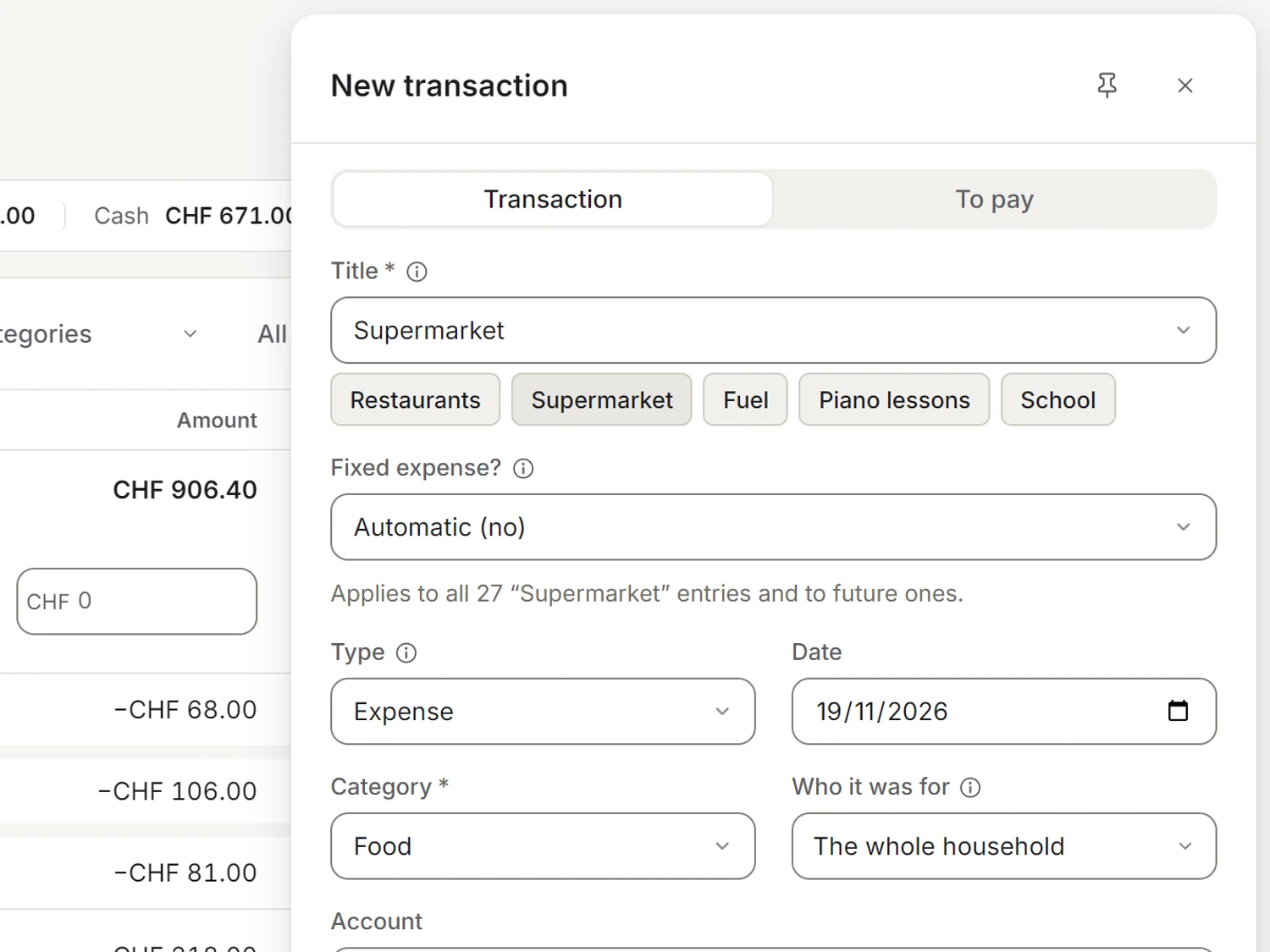
You type the title and Spendhog fills in what you chose last time: category, account, who it was for and the budget, and for fixed expenses the amount too. On a phone, the + in the middle of the bottom bar opens a new transaction from any page.
Want several months at once? Load your bank's export as CSV, camt.053, OFX or MT940. You see every row before the import, and money between two of your own accounts is suggested as a transfer, so it does not count as spending. Spendhog never needs your bank login.
11A dashboard that fits your household
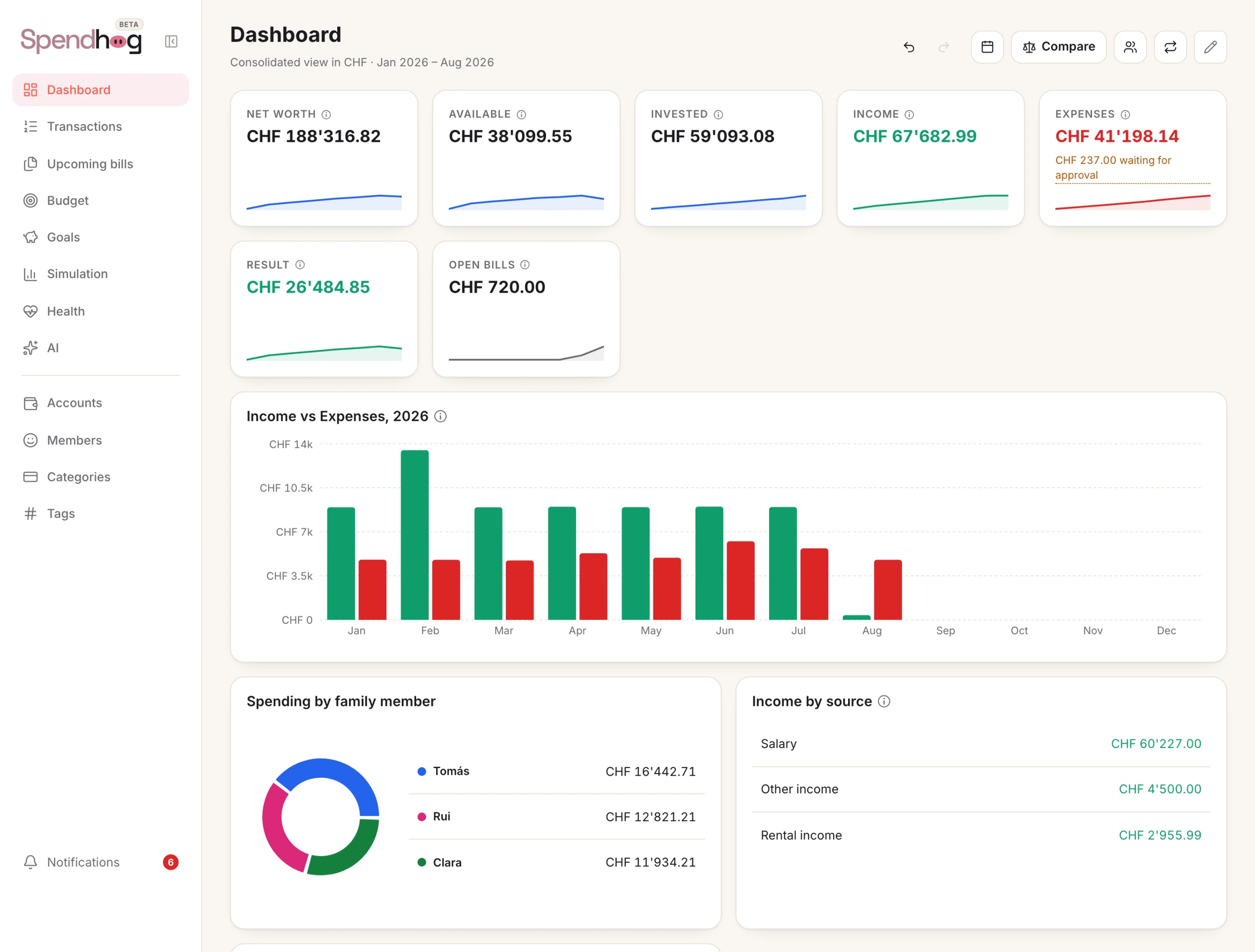
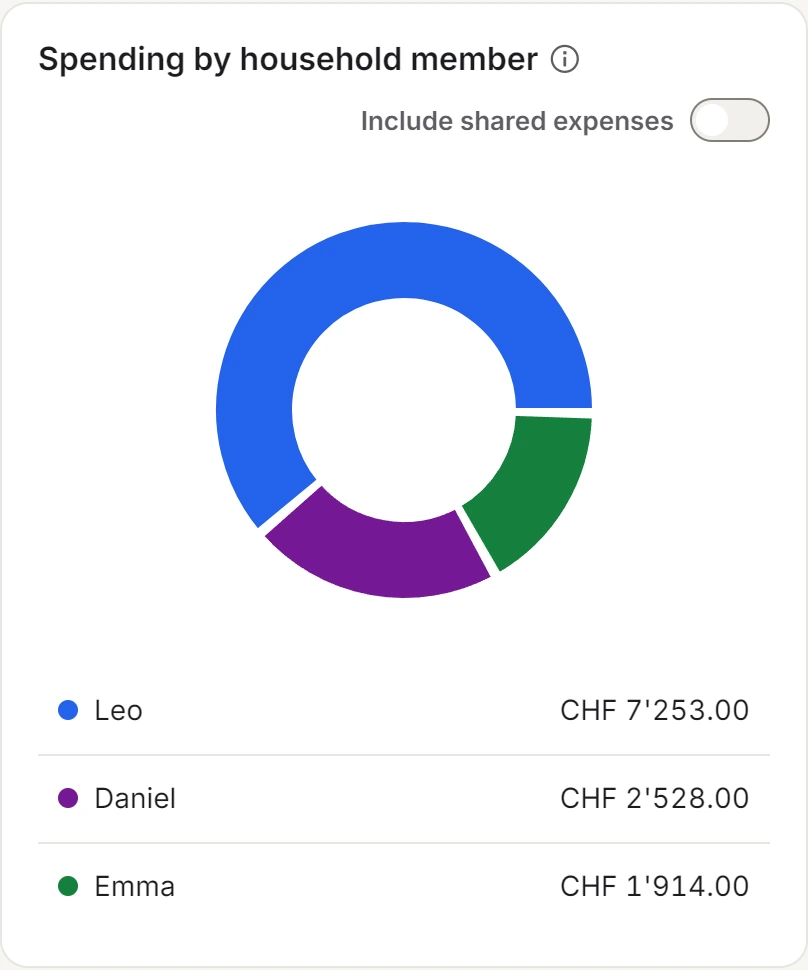
The Dashboard is made of tiles, and you choose which ones and in what order. A household that watches its spending picks different ones from a household that watches its investments: Free per day, Months of cover, Spending by household member, Income by source, one title or one category over time. The rest wait in the list of tiles you can add.
12Everyone in the household, every currency
Up to three people sign in with their own login, and you decide who can edit and who can only look. You assign spending to each person, the children too, however many of you there are. Spendhog does not work out who owes whom; apps for splitting costs do that.
Each account has its own currency, one of 30: francs, euros, dollars and the others the European Central Bank publishes rates for. Wealth and spending show in one total in your currency, and what an exchange cost shows as a cost.
After 30 free days, Spendhog costs CHF 8.99 a month for the whole household. That is the founder price for the first 30 households that take out a subscription, and it stays as long as the subscription runs. Your data is kept encrypted in the EU (Ireland), with a daily copy on our own server in Switzerland.
13How we compared
On 1 November 2026 we read the vendors' pages, their help and their listings in the App Store and on Google Play. In the table, "No" means those pages do not show it; if a vendor offers part of it, the cell says which part. We check the details every three months, next in February 2027.
If you see something that is no longer right, write to us at info@spendhog.com. We will correct it.
Questions about this page? Reach us any time and we'll walk you through it. info@spendhog.com