

A household budget shows in one place what comes into the home, where it goes and what is left at the end of the month. This free Excel template does the sums for you: fill in one month and you know where you stand.
01What a budget is for
You know your salary by heart. What goes on groceries, eating out or small things bought online is harder to know until you write it down. The first month on paper usually brings one or two surprises. Often it is the small things, a coffee on the way to work or a takeaway on a Friday. None of them feels like much on the day; the month's total is the surprise.
With those numbers in front of you, decisions get easier. You can see whether a holiday in August fits, whether a new car fits the month, or how many months it takes to save for a move.
And money talk at home gets calmer. The numbers are on the table, and nobody has to guess where the money went.
02How to use the template
The template is one Excel file with two sheets. It opens in Excel, Numbers, LibreOffice and Google Sheets.
- On the Budget sheet, write in the yellow column what you plan to spend per month on each category. If you do not know yet, keep the example and correct it after the first month.
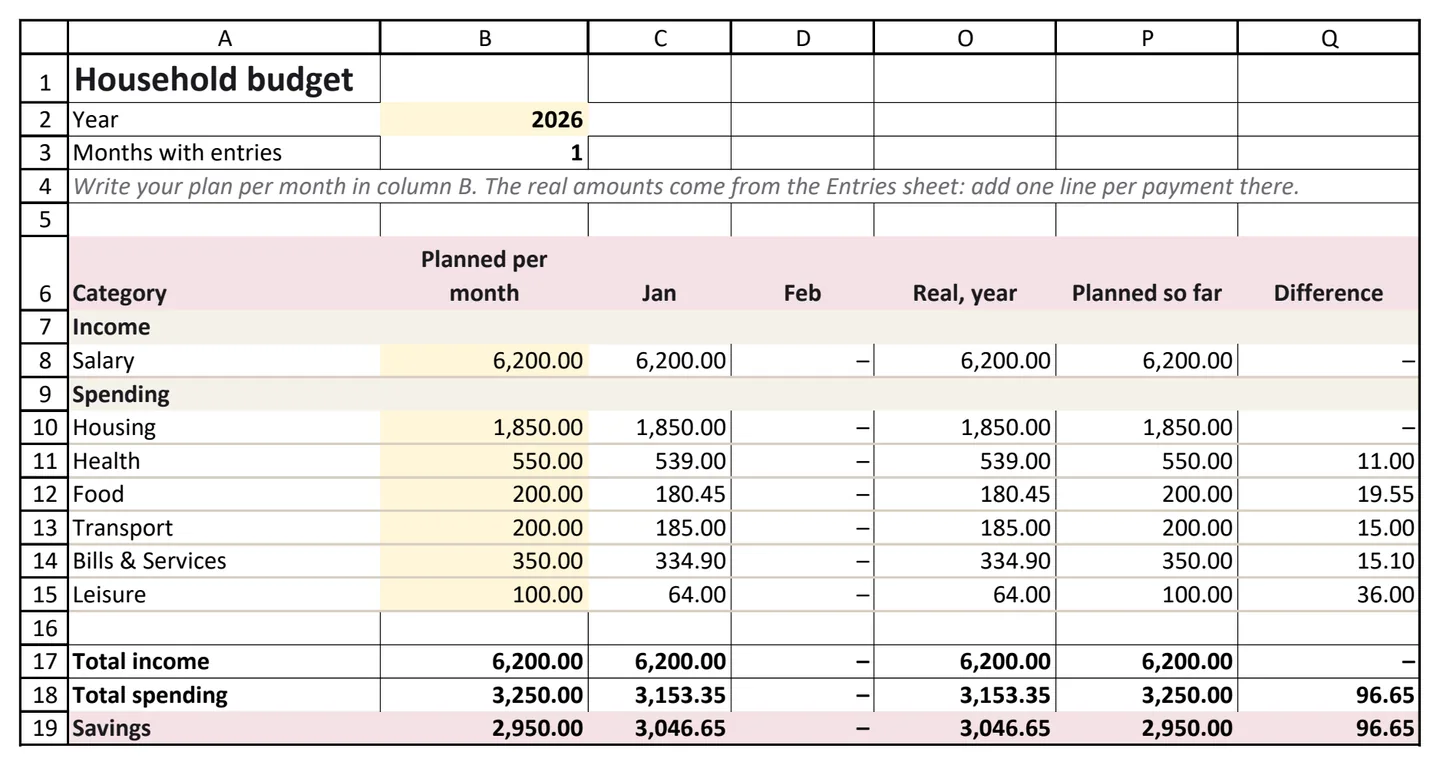
- On the Entries sheet, add one line for every payment and every sum that comes in: the date, what it was, the category and the amount, with money going out as a negative number. The ten entries in it are an example. Delete them and add your own.
- The Budget sheet adds up each month's entries on its own. It shows the real amount next to the plan, the difference and, in the last row, your savings: what you earned minus what you spent.
03And after the first month?
At the end of each month, give it about ten minutes:
- Compare the real amounts with the plan. Start with the biggest differences, the ones in red.
- Pick one category to change next month. One is enough to start with.
- Correct the plan where it was far from what happened. A plan that is too tight is the one that gets dropped by March.
- Repeat for three months. By then you know your usual month and how much is left, on average, for what you want to do.
04Four lines most budgets get wrong
- Bills that are not monthly, such as insurance once a year or electricity every three months. Write the payment down once, in full, on the day you paid it, like the electricity row in the template. If you split it into made-up monthly rows, the file no longer matches your bank. Spread the budget over the months, and set aside a third of a quarterly bill each month. Otherwise the month it arrives looks terrible and the other months look better than they are. In Spendhog, this is the Spread over (months) field on an entry. The budget counts one share a month, and the payment stays whole on the day it was paid.
- Savings. What you save is what you earn minus what you spend, and the template works it out in its last row. Leave transfers to your savings account out of the entries, because that money is still yours.
- Cash. Taking money out of a cash machine moves it from one pocket to another, so it is not spending yet. If your budget counts the withdrawal as spending, you lose track of everything you buy with that cash.
- One-off costs that keep coming. A birthday, a vet's bill, a broken washing machine. Each one seems unusual, but together they come up almost every month under a different name. Put them in one category and look at the whole year.

05When a spreadsheet is no longer enough
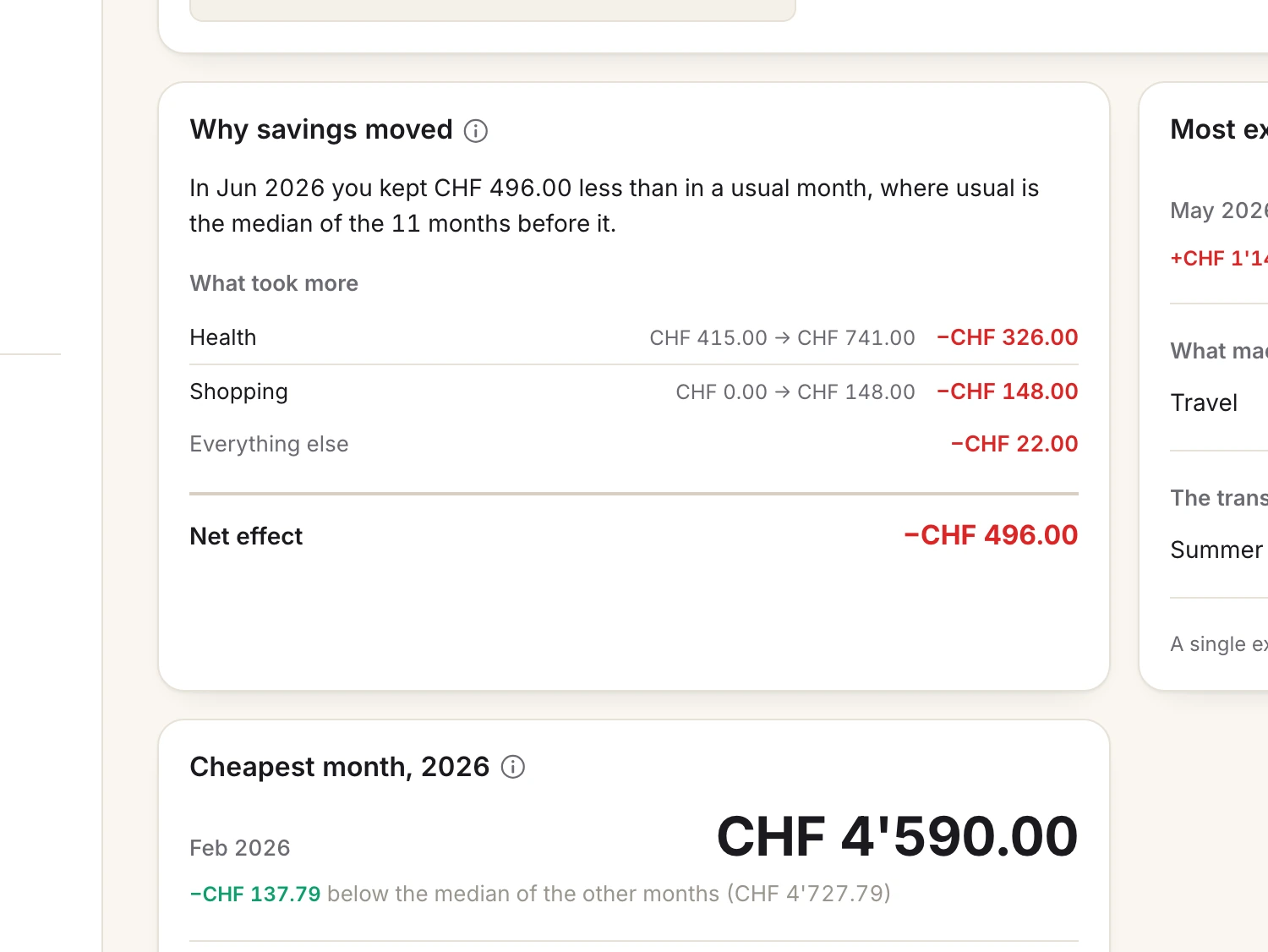
A spreadsheet shows the numbers and leaves the explaining to you. It can tell you that March cost 6,200. It cannot tell you that this was 2,000 more than your usual month, that the car and one dinner made the difference, or whether it was a one-off.
Mistakes also go unnoticed. A formula stops one row short. A new month is added as a column that no total includes. A second person edits a copy. Nothing warns you, and the totals still look right.
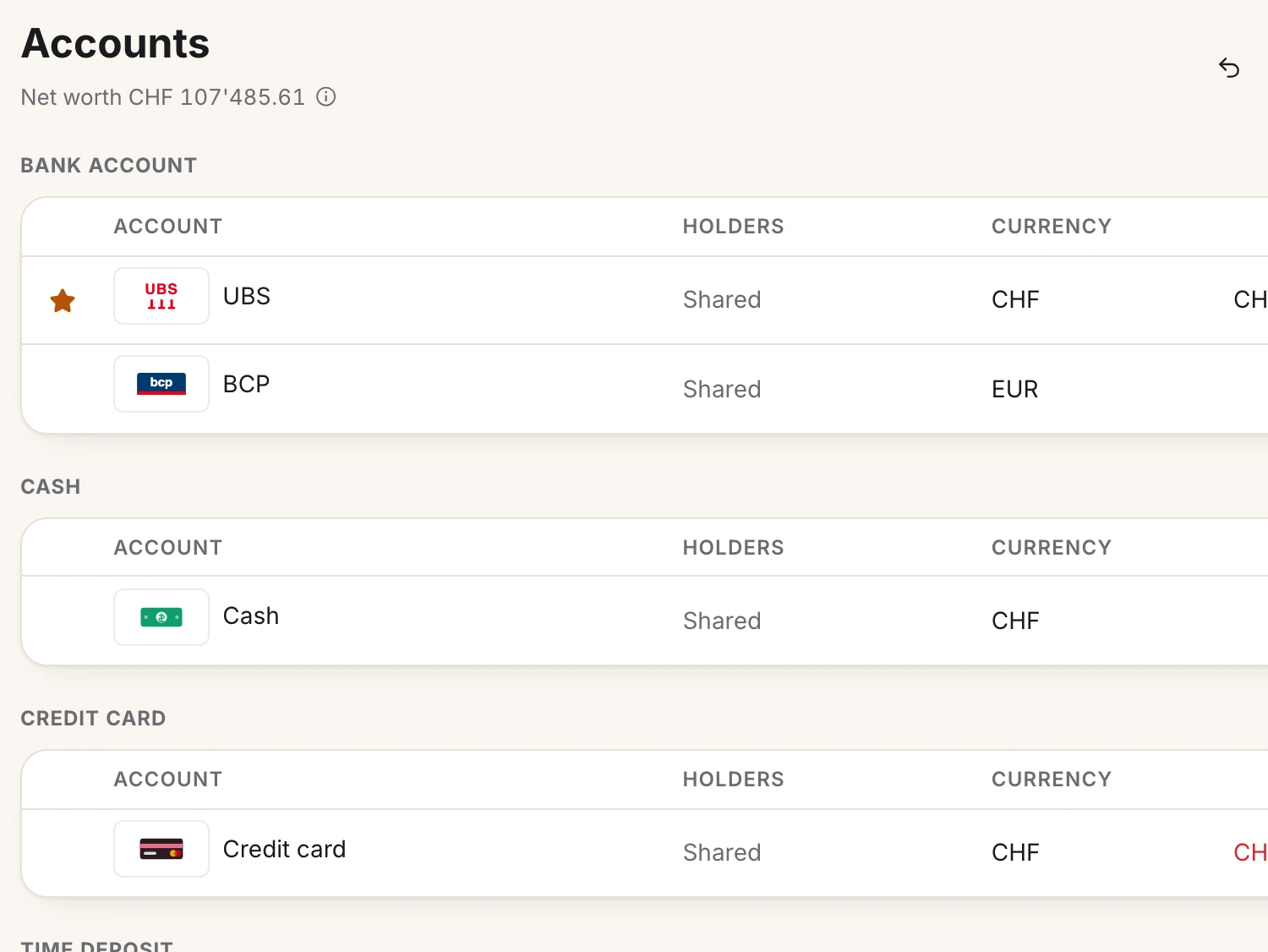
Two currencies are hard too. A household with accounts in two currencies finds this out the first time it tries. Either the totals are wrong, or an exchange rate sits in a cell somewhere and goes out of date.
06From a spreadsheet to Spendhog
Spendhog started as a spreadsheet called Poupanças, which one family kept for years. It keeps what worked in the sheet: several currencies, who spent what, and bills that are not monthly. It also does what the sheet could not. It explains your month in words and compares it with your own usual month.
When you want to stop looking after formulas, the CSV version of this template imports straight into Spendhog, each row in its category. The first 30 days are free, with no card, and you never connect a bank.
Questions about this page? Reach us any time and we'll walk you through it. info@spendhog.com