

To keep a household spending log, you write down every income and every expense with a date, an amount and one of about ten categories, and once a week you check it against the bank statement. Whether it lives on paper, in Excel, online or in an app matters less. The hard part usually comes in the second month, and what helps most then is recording less.
01How to start
Start on an ordinary day. Do not wait for the first of the month. People who wait for the perfect start often begin only the month after next.
Write down the income first: the salary, any extra month of pay or holiday pay you get, and whatever else comes in regularly. Then the fixed costs that are the same every month, such as rent, insurance and subscriptions. You enter those once and carry them over every month. The German consumer advice centre (Verbraucherzentrale) recommends this in its guide (as of 6 August 2026).
Then come the variable expenses, all of them, including the coffee at the station and the parking meter. It is the small amounts that are missing at the end of the month.
Collect the receipts in a box or an envelope. Small cash amounts with no receipt go on a slip of paper. Once a week you enter everything. The Verbraucherzentrale recommends this too, and it works equally well on paper and in an app.
An entry needs only a date, an amount, what it was for and the category. A note is optional.
02How many categories?
Our rule of thumb is ten, give or take two. With five, half of the money ends up under "Miscellaneous" and you learn nothing from it. With thirty, you ask yourself every evening whether the shampoo belongs under "Drugstore" or "Household". That question is where many people give up.
For most households, roughly these categories are enough to begin with: housing (rent or mortgage, and service charges), energy, insurance, health, groceries, transport (public transport, car, bike), phone and internet, leisure and going out, holidays, clothes, savings and miscellaneous. If you pay your taxes yourself, give them a category too.
Split a category only when you have a question it cannot answer. If you want to know what eating out costs, it is worth splitting "Groceries" into "Supermarket" and "Takeaway".
Give a fixed place to the bills that do not come every month as well: the car or home insurance that arrives once a year, the electricity bill every few months, a yearly subscription. If you do not plan for them, the month they arrive looks terrible, and the other months look too good.
03How often should you enter things?
Two rhythms work, and you can mix them. Daily: one minute in the evening, or right at the till. That way you see each expense at a moment when you could still change something. Or weekly: a quarter of an hour with your online banking and the receipt box. That takes less attention day to day, but it needs a fixed appointment.
Here is what a weekly appointment looks like. Sunday evening, a household of two adults. Your online banking shows 14 card payments from the week. In the box are three receipts from the farm shop and the weekly market, paid in cash. And the yearly home insurance bill has arrived. That makes 18 entries, each with a category. You also check that the balance in your spending log matches the balance at the bank. It takes ten to fifteen minutes, and the week is done.
You do not have to be perfect. In a much-cited study on habit formation (Phillippa Lally and colleagues, European Journal of Social Psychology, 2010), it took 66 days on average for a daily action to become automatic. The range went from 18 to an estimated 254 days. A single missed day hardly hurt, while many missed days did. If you miss a day, carry on the next day and do not make it up.
04What about cash?
Cash has not disappeared. In the euro area it was still used for 52% of payments at the till in 2024, down from 59% in 2022 (European Central Bank, SPACE study, press release of 19 December 2024). If you only copy the bank statement, part of your money is missing. There are three ways to handle it, from the most exact to the most convenient.
Cash as an account of its own. Withdrawing from the cash machine is then a transfer from the bank account to your wallet. You enter the spending from the cash account, with a category, like any other. This is the most exact way, and we recommend it.
Count the cash. You enter only the larger cash expenses and count your wallet once a week. The difference from what should be in it becomes a single line, such as "Cash, unassigned". You do not know what each note and coin was for, but you know how much it was, and the total adds up.
Book the withdrawal as an expense. This is the most convenient and tells you the least, because everything you buy with that money disappears into one line. It suits you only if you hardly ever pay in cash.
05Paper, Excel, online or app compared
The best spending log is the one you are still keeping in three months. Each form has strengths and weaknesses.
Paper. You need no device and no login, and nothing to install. Writing by hand makes you notice every expense. On the other side, you do the sums yourself, the book is at home when you are standing at the till, and a yearly summary costs you an evening with a calculator.
Excel or another spreadsheet. It is free and flexible, adds up totals and draws charts for you, and you decide every column. Our downloadable template is made for this: date, title, category and amount, one row per entry. On a phone, though, a spreadsheet is a chore. You will not notice a formula dragged wrongly. And when two people work on copies, there are soon two different versions.
Online in the browser. Everyone in the household sees the same numbers on every device, and nobody sends a file around. In return you need an internet connection, and your data sits with a provider. Check where, and whether you can export all of it at any time.
An app on your phone. It is with you when you pay, and at that moment entering takes the least effort. Apps with a bank connection fill themselves in, but you often no longer see the single expense at all. Almost all apps share the same weakness: on a small screen it is easy to enter things, but hard to understand much.

06Which app for a household spending log?
There are three kinds. An app linked to your bank fills itself in from your payments. It suits you if you mainly want to see where the money went, and if your bank is one the app connects.
An app you fill in yourself, by typing or by importing the file your bank lets you download. It suits you if you want to choose the categories and notice each payment. It takes a few minutes a week, and it works with any bank.
A spreadsheet. It suits you if you like building your own columns and keep the log on a computer. Once two people or a phone are involved, it gets harder. How to choose between the apps, with four questions to ask, is in our guide to household spending apps.
07How to keep going after the second month
The first month is exciting because everything is new. The second looks much like the first. The receipts pile up in the box, one Sunday is missed, then another, and at some point the notebook stays shut. That is where many people stop. We did not find a reliable figure on this with a source and a date. These things help:
- Record less. Fixed costs that are the same every month, you do not write again each time, you carry them over. What remains is the variable spending, and that tells you the most.
- A fixed appointment. One weekday, one time, ten minutes. "When I have time" rarely works.
- Close gaps without entering everything. If you missed two weeks, do not hunt down every receipt. Check the balance against the bank and enter the difference as one line. Then the book is right again, and you carry on from today.
- Answer one question each month. For example: "Which category was higher than last month, and why?" If you never get an answer out of the spending log, it soon feels like bookkeeping.
- Look at the year. From the third month you can compare months. Only then do you see what is normal and what was an outlier. People who stop in the second month miss exactly this part.
08If you live in Switzerland
Two costs that are taken off the pay in many countries arrive as bills in Switzerland: the health insurance premium and, for most households, the taxes. Give each a category of its own. How much to set aside for the taxes each month is in our guide to saving for taxes in Switzerland. A 13th-month salary goes in as income in the month it arrives.
The Serafe fee is the classic bill that is not monthly. It costs a private household CHF 335 a year, and from 1 January 2027 CHF 312 (serafe.ch, as of October 2026). It normally comes once a year, or every three months if you ask.
Cash is still common. In the Swiss National Bank's payment survey of autumn 2025, it was the second most used payment method in person, after the debit card and ahead of payment apps (SNB, press release of 30 March 2026).
Budgetberatung Schweiz, the Swiss budget advice service, sells a printed household book for CHF 11, plus CHF 7 for postage and handling, and offers a free app, BudgetCH. The app also works without internet and stores the data on a server in Switzerland. Exporting to Excel costs a one-off CHF 4 there, and it no longer supports foreign currencies (budgetberatung.ch, as of October 2026). How it compares with the other apps people use in Switzerland is in our comparison of budget apps.
09When Spendhog suits you and when it does not
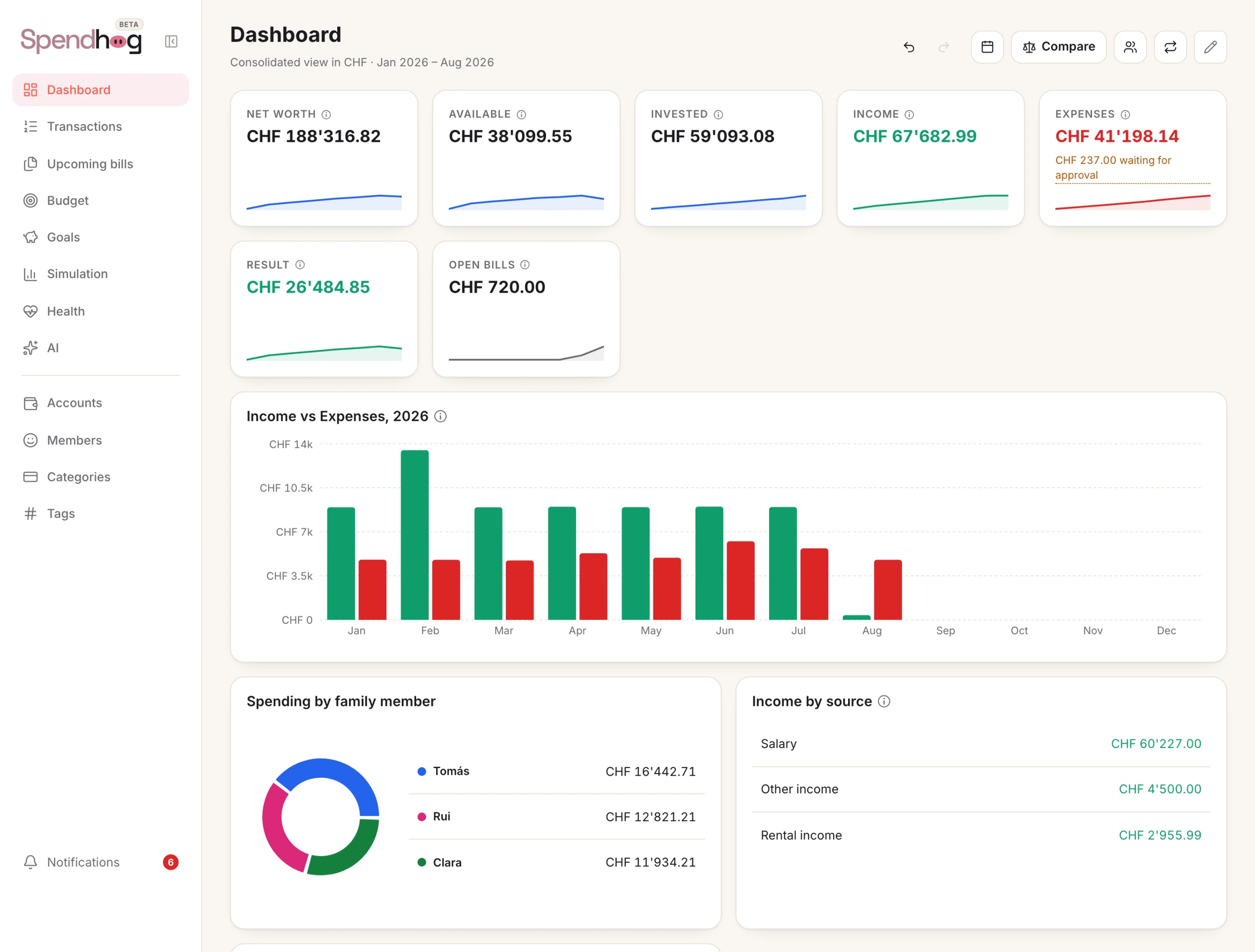
Spendhog is a digital household spending log, in the browser and on the phone, with no bank connection. You enter things by hand or import your bank's export as a CSV, camt.053, OFX or MT940 file. You name the categories yourself, and you keep a separate account for cash. If the balance does not match your wallet, you type in the new amount and the app books the difference as a movement.
Spendhog also explains the month in words, compared with your own usual month. It understands bills that do not come monthly. Up to three people in the household sign in, each with their own login.
If a notebook or a spreadsheet is enough for you, and you do keep it up, stay with it. If you only want to see where the money goes, without entering anything yourself, an app with a bank connection suits you better.
You can try Spendhog free for 30 days, with no card and no bank login. The founder price is CHF 8.99 a month for the first 30 households that take out a subscription. It stays as long as the subscription runs.
Questions about this page? Reach us any time and we'll walk you through it. info@spendhog.com